> ## Documentation Index
> Fetch the complete documentation index at: https://docs.usefusion.ai/llms.txt
> Use this file to discover all available pages before exploring further.
# Onboarding & Consent Overview
> Configure the multi-step gated flow participants complete before joining your quest.
The onboarding system is a **multi-step gated flow** that participants complete before they can access a quest's prompts and experiments. It handles informed consent, eligibility screening, and baseline intake before the participant is enrolled into the quest.
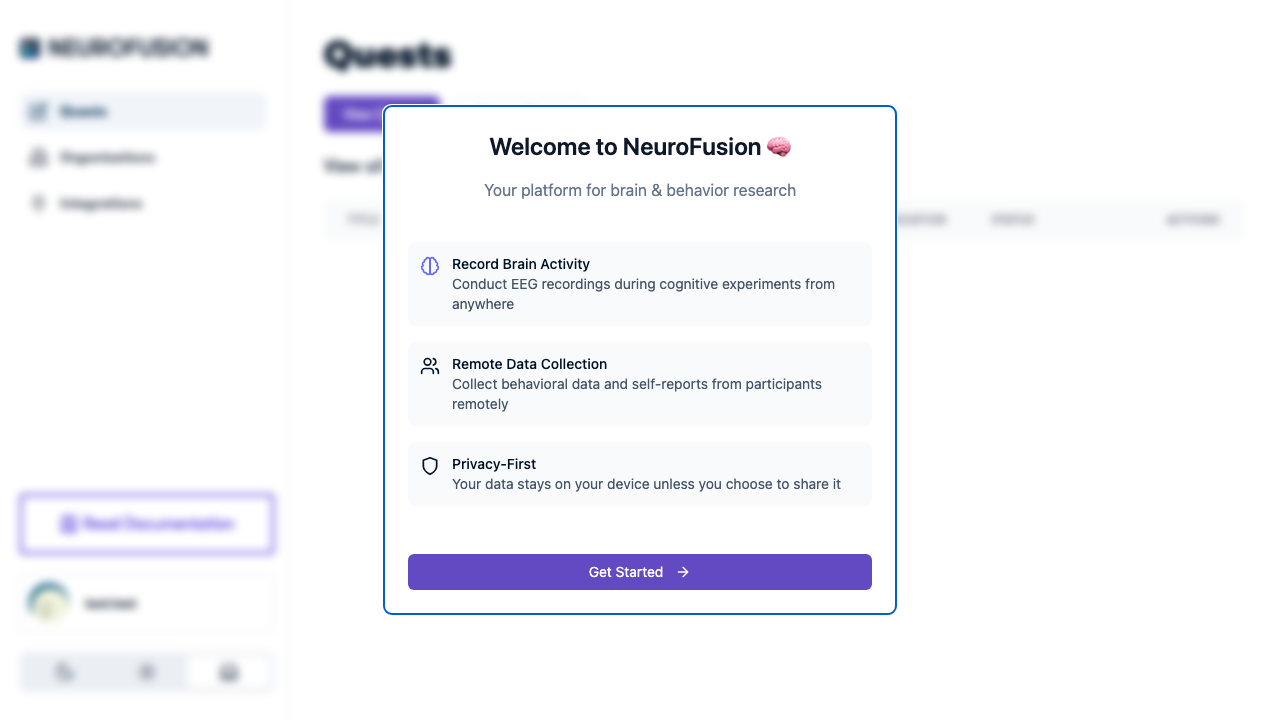 ## Onboarding Flow
When a participant opens a quest URL, here's what happens:
```
Participant opens quest URL
→ Check if already joined
→ Already joined (not kiosk mode) → Skip to quest content
→ Already joined (kiosk mode) → Re-show onboarding
→ Not joined → Continue to onboarding
→ Step 1: Study Overview / Consent Document (if configured)
→ Must check "I have read and understand" → Continue
→ Step 2: Onboarding questions (if any)
→ Server-side validation of question guards
→ Failed → Show rejection messages, block access
→ Passed → Continue
→ Save onboarding responses (free — not billed)
→ Join quest (billed to org — see [Pricing](https://usefusion.ai/pricing))
→ Quest content (prompts, experiments)
```
## Components
The onboarding system has four configurable components:
| Component | Required? | Description |
| ---------------------------------------------------- | --------- | -------------------------------------------------------------- |
| [Full-Text Overview](/onboarding/full-text-overview) | Optional | Study overview / consent content with mandatory acknowledgment |
| [Onboarding Questions](/onboarding/questions) | Optional | Screening questions (5 response types supported) |
| [Question Guards](/onboarding/question-guards) | Optional | Server-side validation rules to block ineligible participants |
| [Kiosk Mode](/onboarding/kiosk-mode) | Optional | Re-show onboarding every session for shared devices |
A quest can have **none, one, or all** of these configured. If neither the overview nor questions are set, participants join the quest directly.
## Key Facts
* Onboarding responses are saved as a dataset with type `onboarding_responses`
* Onboarding responses are **free** — they are not billed
* Question guard validation is **server-side** — it cannot be bypassed
* Onboarding response types match prompt response types: `text`, `yesno`, `number`, `numberRange`, `customOptions`
* After onboarding passes, the participant joins the quest and appears in the participant roster for researcher operations
## Explore
Informed consent language shown before questions.
Screening questions with 5 response types.
Server-side eligibility validation rules.
Re-show onboarding for shared devices.
## Onboarding Flow
When a participant opens a quest URL, here's what happens:
```
Participant opens quest URL
→ Check if already joined
→ Already joined (not kiosk mode) → Skip to quest content
→ Already joined (kiosk mode) → Re-show onboarding
→ Not joined → Continue to onboarding
→ Step 1: Study Overview / Consent Document (if configured)
→ Must check "I have read and understand" → Continue
→ Step 2: Onboarding questions (if any)
→ Server-side validation of question guards
→ Failed → Show rejection messages, block access
→ Passed → Continue
→ Save onboarding responses (free — not billed)
→ Join quest (billed to org — see [Pricing](https://usefusion.ai/pricing))
→ Quest content (prompts, experiments)
```
## Components
The onboarding system has four configurable components:
| Component | Required? | Description |
| ---------------------------------------------------- | --------- | -------------------------------------------------------------- |
| [Full-Text Overview](/onboarding/full-text-overview) | Optional | Study overview / consent content with mandatory acknowledgment |
| [Onboarding Questions](/onboarding/questions) | Optional | Screening questions (5 response types supported) |
| [Question Guards](/onboarding/question-guards) | Optional | Server-side validation rules to block ineligible participants |
| [Kiosk Mode](/onboarding/kiosk-mode) | Optional | Re-show onboarding every session for shared devices |
A quest can have **none, one, or all** of these configured. If neither the overview nor questions are set, participants join the quest directly.
## Key Facts
* Onboarding responses are saved as a dataset with type `onboarding_responses`
* Onboarding responses are **free** — they are not billed
* Question guard validation is **server-side** — it cannot be bypassed
* Onboarding response types match prompt response types: `text`, `yesno`, `number`, `numberRange`, `customOptions`
* After onboarding passes, the participant joins the quest and appears in the participant roster for researcher operations
## Explore
Informed consent language shown before questions.
Screening questions with 5 response types.
Server-side eligibility validation rules.
Re-show onboarding for shared devices.